The Joys of Free Cloudflare
I’ve been tinkering around with the free tier on Cloudflare and have managed to churn out a couple of side projects. Of course, I had a little help with various AI systems, but it was assisted rather than vibe-coded.
Enjoy these types of posts? Then sign up for my newsletter.
Most of my work life is spent in Jupyter notebooks looking at data. Most of my blogging is looking at data using Julia or Python. Every now and then I branch out and build something other people can use like Crypto Liquidity Metrics. It’s a simple Netlify-hosted website with pretty simple HTML and JavaScript, but it doesn’t really use ‘the cloud’ in any meaningful way. I want to start expanding my horizons and using more of what’s available to build things.
I’m not sure how I ended up on Cloudflare but the fact you can use things without entering any payment details reassures me that I won’t lose my house if one of these things gets popular. Although once you read what I’ve built you’ll see there is very little chance they take off!
Cloudflare Pages
My first little project is a personal train timetable. I live in a place where there are fast trains that skip out lots of stops. However, they are only at specific times throughout the day. I would normally use the National Rail app and have to scroll through the regular slow trains and keep my eye out for a fast one. What I needed was a way to filter the trains by platform as the fast ones left from their own platform. For this I needed a way of getting train data.
Rail departure information is made available for free through the Darwin Data Feeds. You apply for a key and off you go. However, it’s a bit complicated to query as it’s not a REST API. Thankfully, someone has done the hard work and built a REST API for the same data. This API is called huxley2 and is an open-source, self-hosted version. You still need a token from National Rail but a REST API is much easier to work with. I query the API from the browser, filter based on the platform and return the resulting trains. So all in, pretty easy. I let Claude style the front end and it’s all done.
I now needed a place to host this single page app. This is where Cloudflare Pages come in. You can upload the HTML and JavaScript files and it’s done. Of course because I’m a professional programmer I didn’t do that, I connected it to my GitHub and every time I push a commit it rebuilds the website.
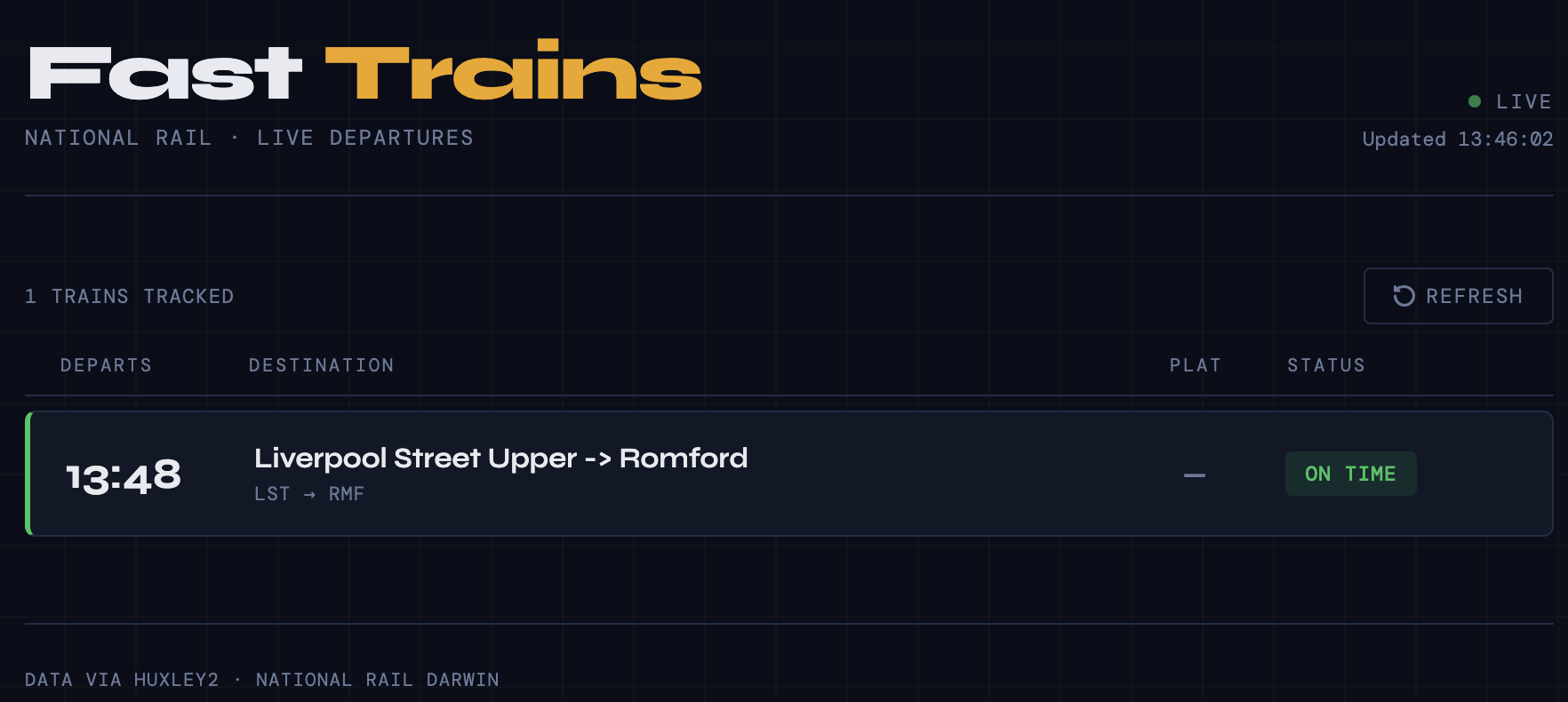
I save this webpage to my phone’s homepage and job done. I open the link and it tells me the next fast train home. Now obviously, this is only useful for me and a few family members. So no chance of it taking off! Now I could add cookies, let you choose the filters for the trains you are interested in, and make it more applicable to a wider audience, but there’s not really much upside in building that out. This stays personal for now.
Building out a 1 page website with some HTML and JavaScript is simple. I wanted to ramp it up a little more and see what else Cloudflare can deliver for free.
Cloudflare Workers and D1 SQL Database
CBOE publishes their daily FX volumes as a JSON file on their website. It only contains the last 30 days, so I wanted to save this down each day to build out my own personal history. It’s trivial to write the JSON parsing. This is a problem around automation—I don’t want the code on my laptop where I have to make sure the script runs manually. Cloudflare provides Workers, which gives you a short burst of compute to do something interesting. For me, I use this to run through the JSON data and get it ready for saving down.
async scheduled(request, env) {

    const spotURL = "https://cdn.cboe.com/fx/spotInstrumentVolume.json";
    const ndfURL = "https://cdn.cboe.com/fx/sefInstrumentVolume.json"

    await saveData(spotURL, env);
    await saveData(ndfURL, env);

    return new Response("Data saved successfully");
}
Now, to save it down I want a database. I don’t want to be saving it to a CSV; I want something better. A database gives us a better way to query the data immediately. D1 is Cloudflare’s implementation of SQLite, and it’s trivial to bind the worker to the database, which means the worker can access and use the database as needed. Of course, you have to define the tables and set the keys, but for something as simple as this data (date, sym, volume), it’s trivial.
async function saveData(url, env) {
    const dailyData = await getDailyData(url);
    const volumes = dailyData.map(x => parseData(x));
    const statements = volumes.map(item => bindStatement(item, env)).flat();
    await env.DB.batch(statements);
}
This gives us all the data into a database nicely. We set the schedule to run at midnight every night and it can do its thing. I check it each morning, and sure enough, the new data is there.
We can now think about building a small dashboard for this data. More HTML and JavaScript! For the frontend, I wanted to be more self-reliant and in control. After some conversations with Gemini and Claude, I settled on Pico CSS, which provides a clean style straight out of the box. For the charts, I used Chart.js, the most popular charting library according to the AI tools. For the table, I used Grid.js.
The flow is very simple. When the dashboard is loaded, it pulls the data into memory via a simple SQL query to the D1 database. I then plot the total volumes of the day (i.e., sum across the currency pairs), plot an individual currency chosen from a dropdown, and build a table that shows the top 10 highest volumes for yesterday and their volume relative to the 30-day average.
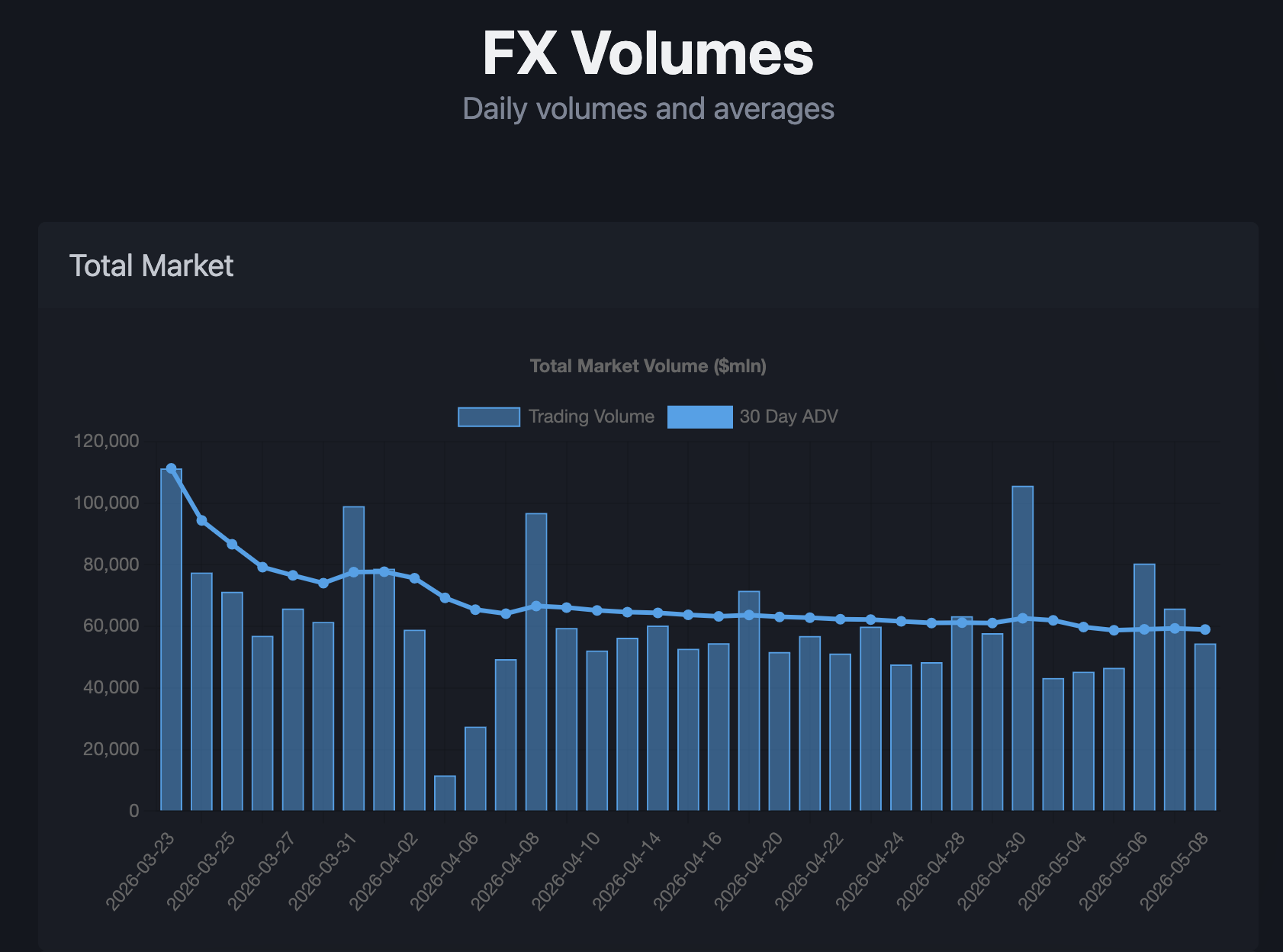
Only the first graph is shown as I don’t want a massive screenshot! But overall it looks very smart, and I’ve learned some new web development skills.
It should all stay under the free tier. If the data starts to get too big, I’ll have to make better use of caching and no longer just dump everything into memory immediately. But for now, it’s another job done. Overall, I’m pretty proud. I’m building up a nice dataset in the cloud and a slick frontend in front of the data. All in a weekend’s work.
If you haven’t already, sign up and start tinkering yourself. Start talking to the AI tools (Claude/Gemini/ChatGPT) to sketch out how to approach something, and just start small. The Cloudflare Docs are great and their command line tool Wrangler also makes things very easy to setup locally.